
Download Ashampoo WinOptimizer – system cleanup, performance boost, Windows optimization, registry cleaner, file management
Overview
Ashampoo WinOptimizer is a comprehensive utility designed to enhance the performance and stability of Windows-based systems. Targeted at both casual users and advanced PC owners, the app addresses common issues such as system slowdowns, cluttered storage, and inefficient resource allocation. By offering a suite of tools focused on system maintenance, it helps users reclaim disk space, streamline startup processes, and improve overall responsiveness. The application is particularly valuable in environments where consistent system health is critical, such as home offices, creative workstations, and gaming rigs.
Developed by Ashampoo GmbH & Co. KG, a company with a long-standing reputation in PC optimization software, WinOptimizer has evolved into a trusted tool within the Windows ecosystem. Its longevity speaks to its reliability and adaptability across multiple Windows versions. Real-world use cases include preparing a computer for major software installations, resolving performance degradation after prolonged use, and securing sensitive data through proper file disposal. The app plays a key role in extending the lifespan of older hardware by optimizing system behavior without requiring hardware upgrades.
Although the developer did not provide additional technical details about system requirements or integration with cloud services, the app’s focus on local system management remains consistent with its core mission. Its presence in the utilities category underscores its function as a maintenance-focused tool rather than a productivity or entertainment app. For users seeking a structured approach to PC upkeep, Ashampoo WinOptimizer offers a centralized platform for addressing multiple performance challenges in one place.
Key Features & Functionality
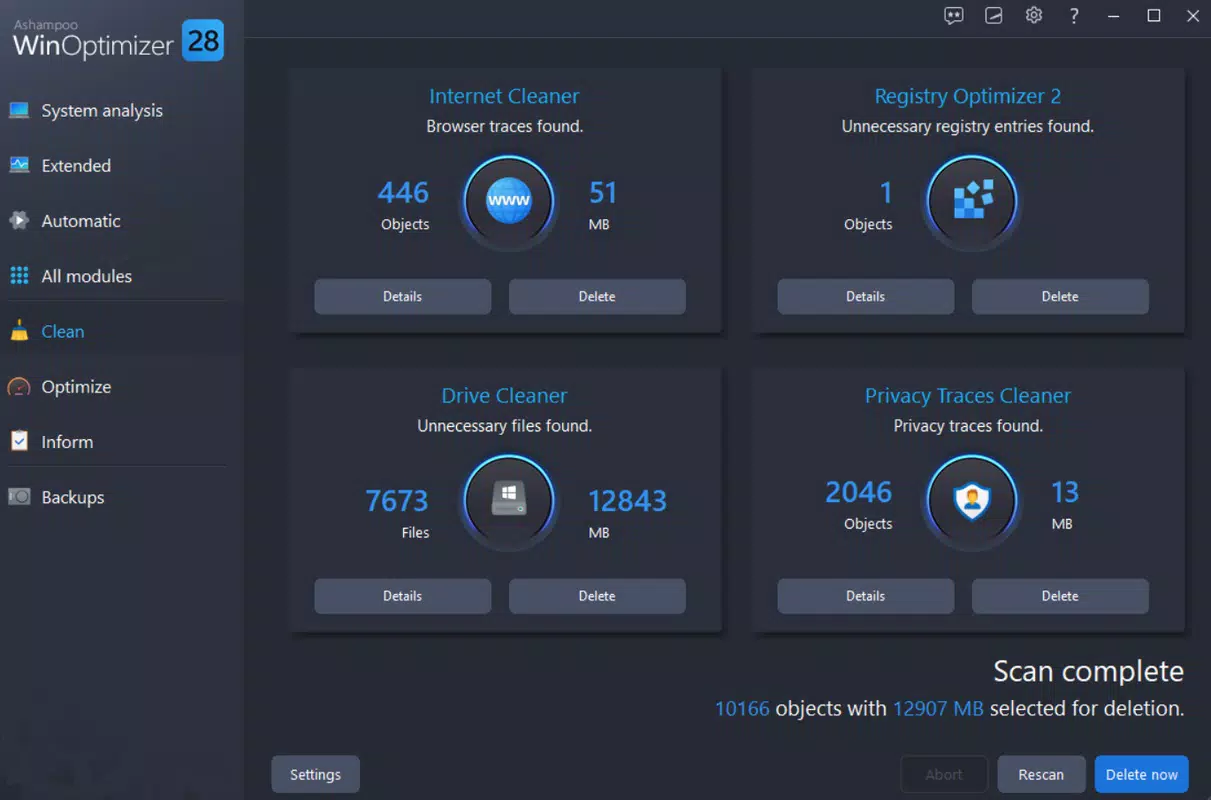
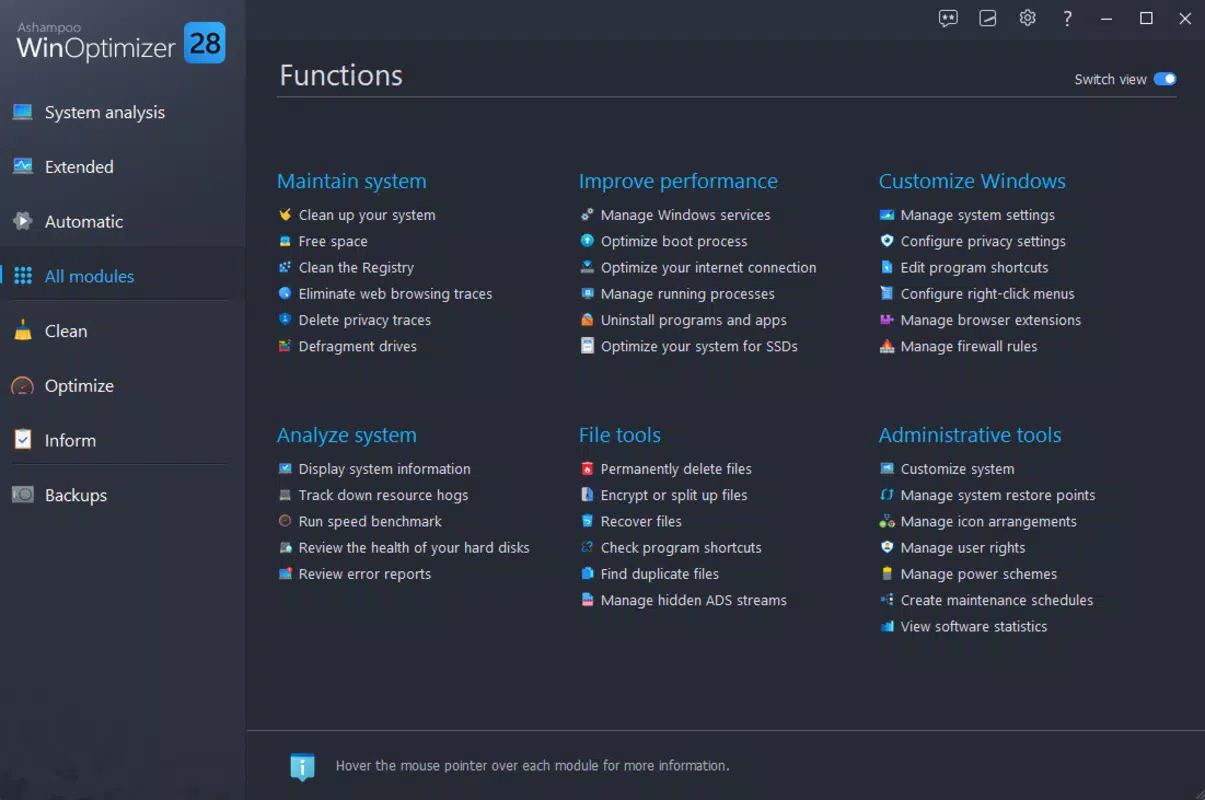
- System Cleaning: Scans for and removes duplicate files, temporary data, and invalid registry entries. This reduces digital clutter and helps maintain optimal disk usage, particularly beneficial for users with limited storage capacity.
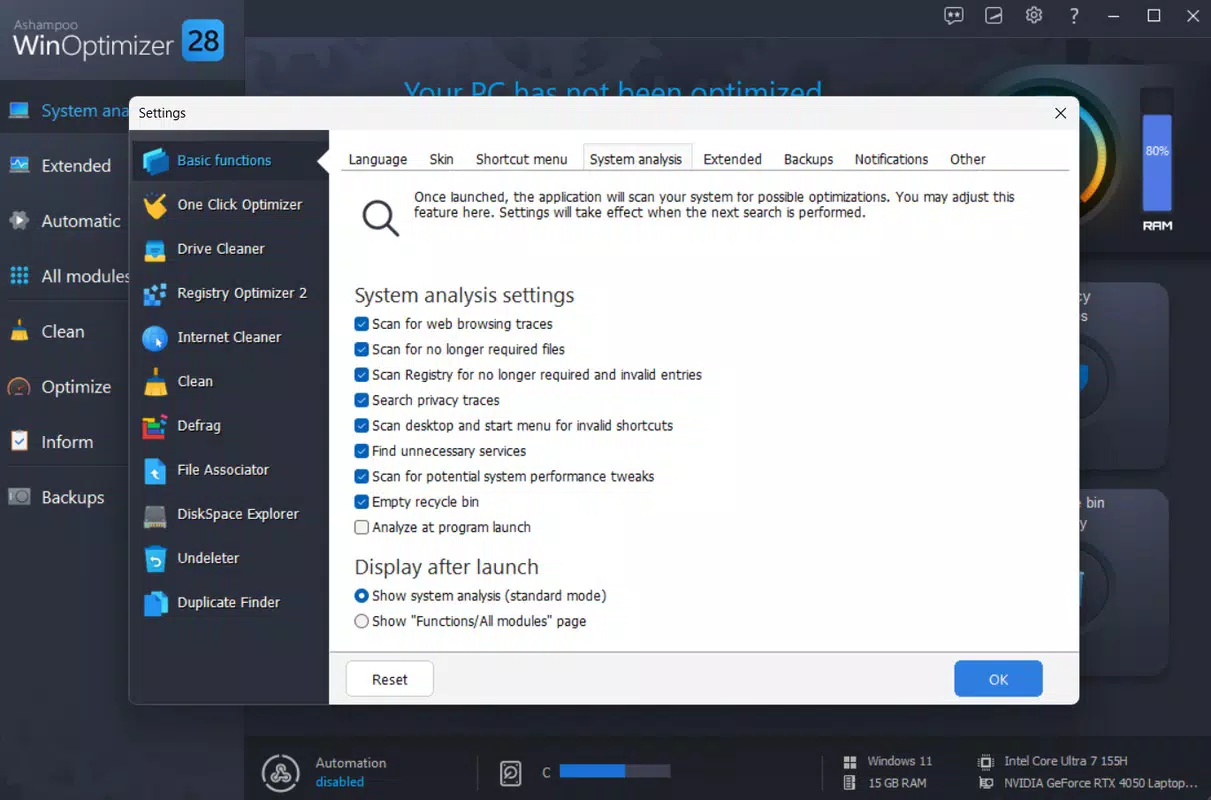
- Performance Setup: Offers customizable system adjustments that enhance responsiveness. Users can fine-tune startup programs, background services, and visual effects to prioritize speed over aesthetics.
- File Management Tools: Includes functionalities such as file splitting, merging, encryption, and secure deletion. These tools support efficient organization and protection of sensitive documents, ideal for users managing confidential data.
- Windows Setup Optimization: Performs hard drive defragmentation and reorganizes file clusters to improve access speed. This is especially useful for traditional HDDs, where fragmentation can significantly impact performance.
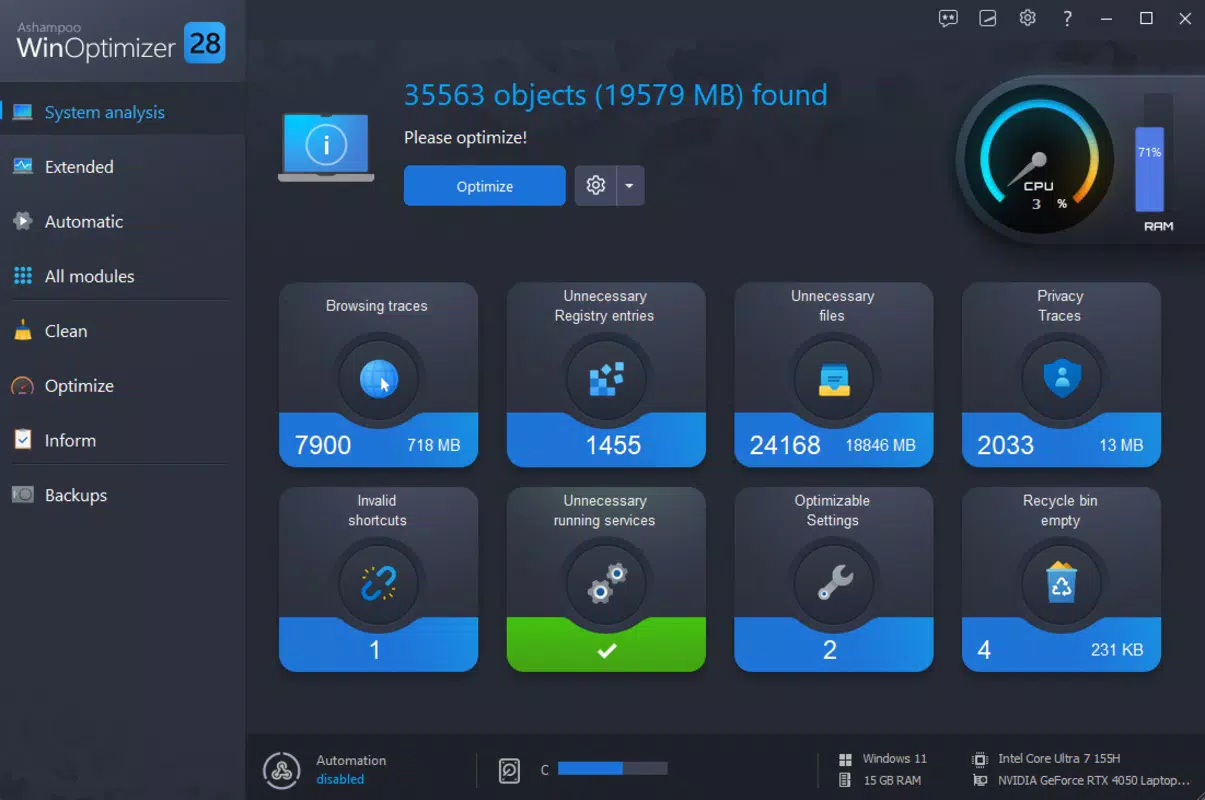
- One-Click Optimization: Executes a predefined sequence of maintenance tasks with a single action. This feature is ideal for users who prefer minimal interaction and consistent system upkeep without technical complexity.
For example, a user preparing for a large software update can run the one-click optimization to clear temporary files and defragment the drive, reducing the risk of installation failures. Similarly, a professional handling client documents can use the secure deletion tool to permanently erase files, preventing data recovery by unauthorized parties. Each feature is designed to solve specific pain points in daily computing, contributing to a smoother, more secure user experience.
Interface, UX & Performance
The user interface of Ashampoo WinOptimizer is structured around a clean, menu-driven layout with clearly labeled sections. Navigation is intuitive, allowing users to access core functions with minimal effort. Visual design emphasizes functionality over ornamentation, using consistent color coding and iconography to guide users through each step. The app’s responsiveness is evident in its quick load times and smooth transitions between tasks, suggesting efficient code execution.
Although the developer did not list formal performance metrics, the application operates without noticeable lag during routine operations such as scanning or defragmentation. It maintains stability even when handling large file sets or deep registry checks, which is critical for long-running system tasks. The app’s compatibility with standard Windows environments ensures it runs reliably across a range of device categories, from budget laptops to high-end desktops.
Users can expect consistent behavior during background processes, with progress indicators and status updates available throughout execution. While no specific information was provided about memory usage or CPU load, the app’s design suggests optimized resource consumption. Overall, the UX prioritizes clarity and control, making it accessible to users with varying levels of technical expertise.
Platform Compatibility & Technical Requirements
Ashampoo WinOptimizer is designed for the Windows platform and supports Windows 10 and later versions, as indicated by the provided version number. The app has a file size of 128 MB, which is relatively compact for a full-featured system utility. This size suggests efficient packaging and minimal bloat, contributing to faster installation times and reduced disk footprint.
The developer did not specify minimum OS requirements or hardware specifications beyond the platform and version. Compatibility with older Windows versions was not disclosed, so users should verify system readiness before installation. No information was provided about cloud integration, background sync, or real-time monitoring features. The app appears to function entirely offline, relying on local system access for all operations.
Pros and Cons
- Comprehensive system maintenance suite with multiple specialized tools
- User-friendly interface suitable for both beginners and experienced users
- One-click optimization simplifies routine maintenance tasks
- Secure file deletion and encryption support for data protection
- Efficient file size and stable performance across tested environments
- Price point may be considered high for casual users seeking basic cleanup tools
- No mobile or cross-platform availability reported
- Developer did not disclose detailed system requirements or compatibility matrix
- Performance impact during intensive operations not publicly documented
- Limited transparency regarding update frequency and long-term support
FAQ
Is Ashampoo WinOptimizer safe to use?
Yes, the app is designed to operate within standard Windows security protocols. It does not install third-party software or modify system files without user consent. However, users should exercise caution when editing the registry and ensure they back up critical data before running deep cleaning tasks.
Can I use WinOptimizer on older versions of Windows?
The developer did not specify compatibility with Windows versions prior to 10. While the app is known to function on Windows 10 and later, its behavior on earlier systems remains unverified.
Does Ashampoo WinOptimizer require an internet connection?
No, the app operates offline and does not require continuous internet access. All tools and features are available without network dependency.
How often should I run the one-click optimization?
Users may benefit from running the one-click optimization weekly or after major software installations. The frequency depends on individual usage patterns and system load.
Is there a free version or trial available?
The provided information does not mention a free version or trial. The app is listed at a price of $19.99, suggesting it is a paid application with no publicly available free alternative.
Final Thoughts
Ashampoo WinOptimizer delivers a robust, all-in-one solution for maintaining Windows system health. Its combination of cleaning, optimization, and file management tools addresses multiple aspects of PC performance in a cohesive and accessible manner. The one-click feature stands out as a time-saving advantage for users who value simplicity without sacrificing effectiveness. While the price may deter some, the app’s reliability and feature depth justify the investment for users committed to long-term system performance.
Those who manage multiple files, run resource-intensive applications, or rely on older hardware will find the most value in this tool. For individuals seeking a secure, efficient, and comprehensive way to keep their system running smoothly, Ashampoo WinOptimizer offers a dependable solution.
Download Ashampoo WinOptimizer now


